The app

A little more organized. A little more prepared.

The Tuly app is being designed for the notes, questions and patterns you want to keep in one place — with you deciding what to track and what to share.

Nothing mandatoryPrivate by defaultTrack what matters

App concept. Preview screens use fictional demo data.
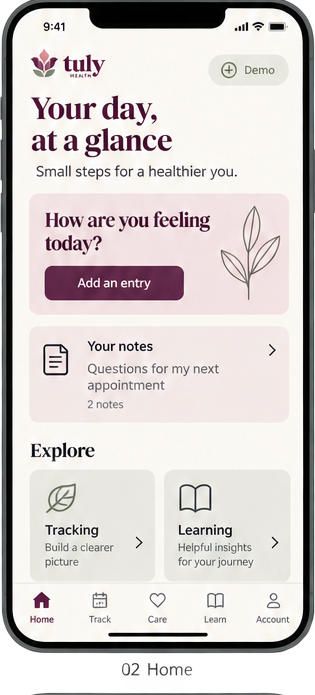
Tuly app concept — the Home screen, showing a daily feelings check-in prompt, saved notes and shortcuts to tracking and learning. Fictional demo data.
Daily check-in
You choose what to track

Turn features on and off whenever you like. Nothing is required.

Private by default

You decide what to record, and what to share, on your terms.

No guessing

Tuly waits for enough information before showing any estimate.

Take a closer look

Six screens, one calm experience.

Here's an early look at the core screens we're designing. Each one is built around the same idea: record what's useful, skip what isn't, and stay in control of your own information.
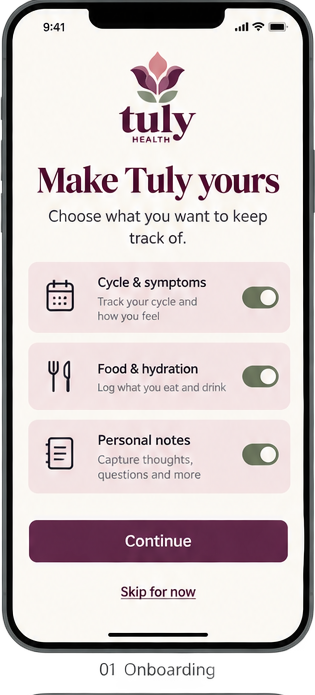
Tuly app concept — the Onboarding screen. Fictional demo data.
01

Onboarding

Make Tuly yours

Switch on only what you want to keep track of — cycle and symptoms, food and hydration, or personal notes — and skip the rest. Nothing is mandatory, and you can change your mind anytime.

Tuly app concept — the Home screen. Fictional demo data.
02

Home

Your day, at a glance

A gentle daily prompt to check in, quick access to the notes you saved for your next appointment, and shortcuts into tracking and learning.

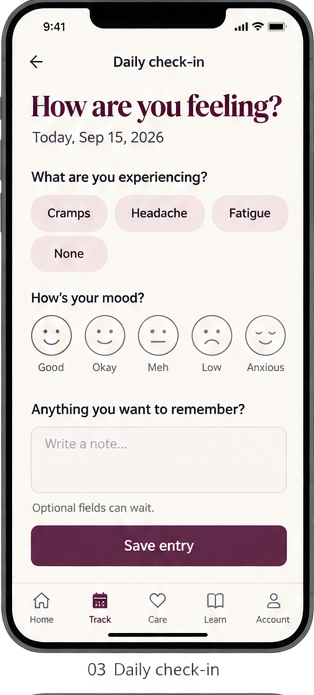
Tuly app concept — the Daily check-in screen. Fictional demo data.
03

Daily check-in

How are you feeling?

Tag what you're experiencing, note your mood, and add an optional reminder to yourself. Every field is optional — the quick version still counts.

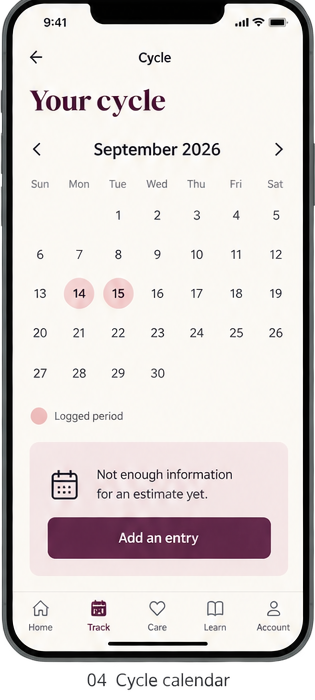
Tuly app concept — the Cycle calendar screen. Fictional demo data.
04

Cycle calendar

See your cycle in context

Log periods and symptoms on a simple calendar. Tuly waits until there's enough information before showing any estimate, instead of guessing.

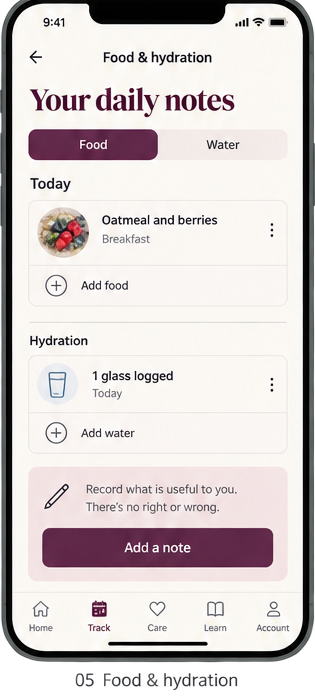
Tuly app concept — the Food & hydration screen. Fictional demo data.
05

Food & hydration

Your daily notes

Keep a low-pressure record of meals and water. There's no right or wrong — just what's useful to you, recorded the way you want.

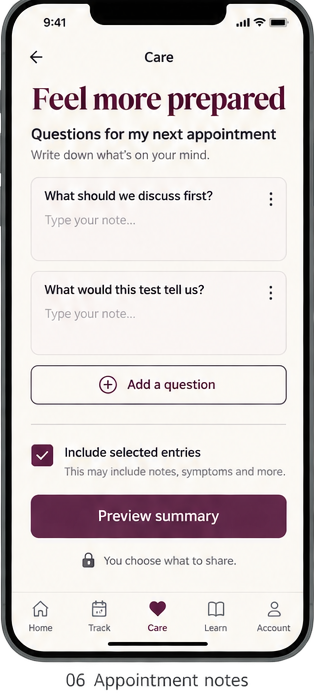
Tuly app concept — the Appointment notes screen. Fictional demo data.
06

Appointment notes

Feel more prepared

Collect the questions you want to ask, then choose exactly what to include in a summary. You decide what leaves the app and what stays private.

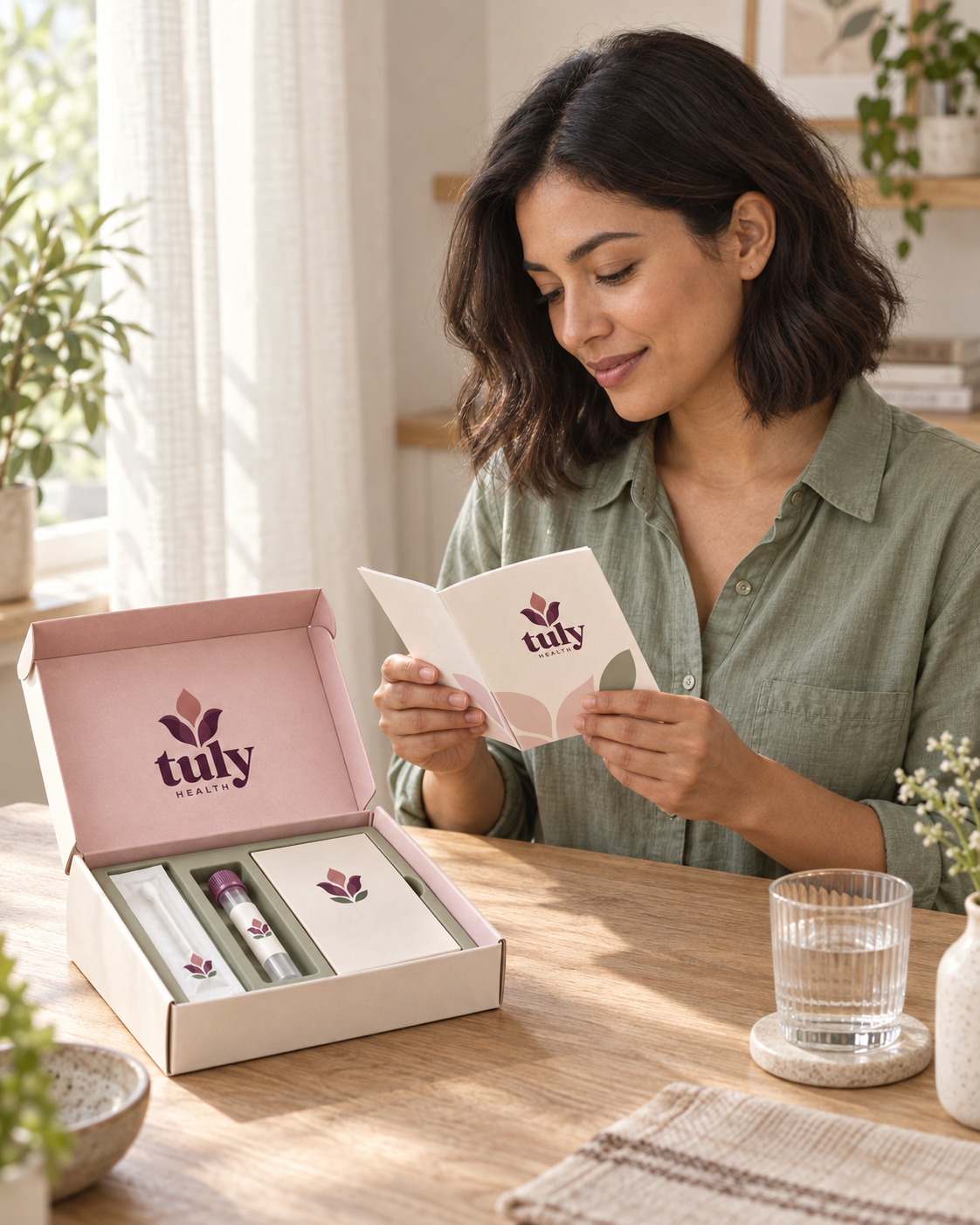
Tuly Health brand photography: a woman at a sunlit table reading the guide from an open Tuly at-home collection kit. Models shown, not actual members.
Beyond the screen

The app and the kit, working together.

The app is one part of the Tuly experience. When at-home testing becomes available, the plan is for your kit and your app to stay connected — clear instructions to follow along with, and a place to keep what you learn alongside your own notes.

  • Guided, at your pacestep-by-step instructions you can read in the app or on paper.
  • Everything in one placekeep notes, questions and results together for your next appointment.
  • Private by defaultyou choose what to record and what to share.

Testing is in development and billed separately from membership. Tracking observations is not a diagnosis.

The full concept

Everyday health, one board

The complete set of concept screens we're exploring, shown together with fictional demo data.
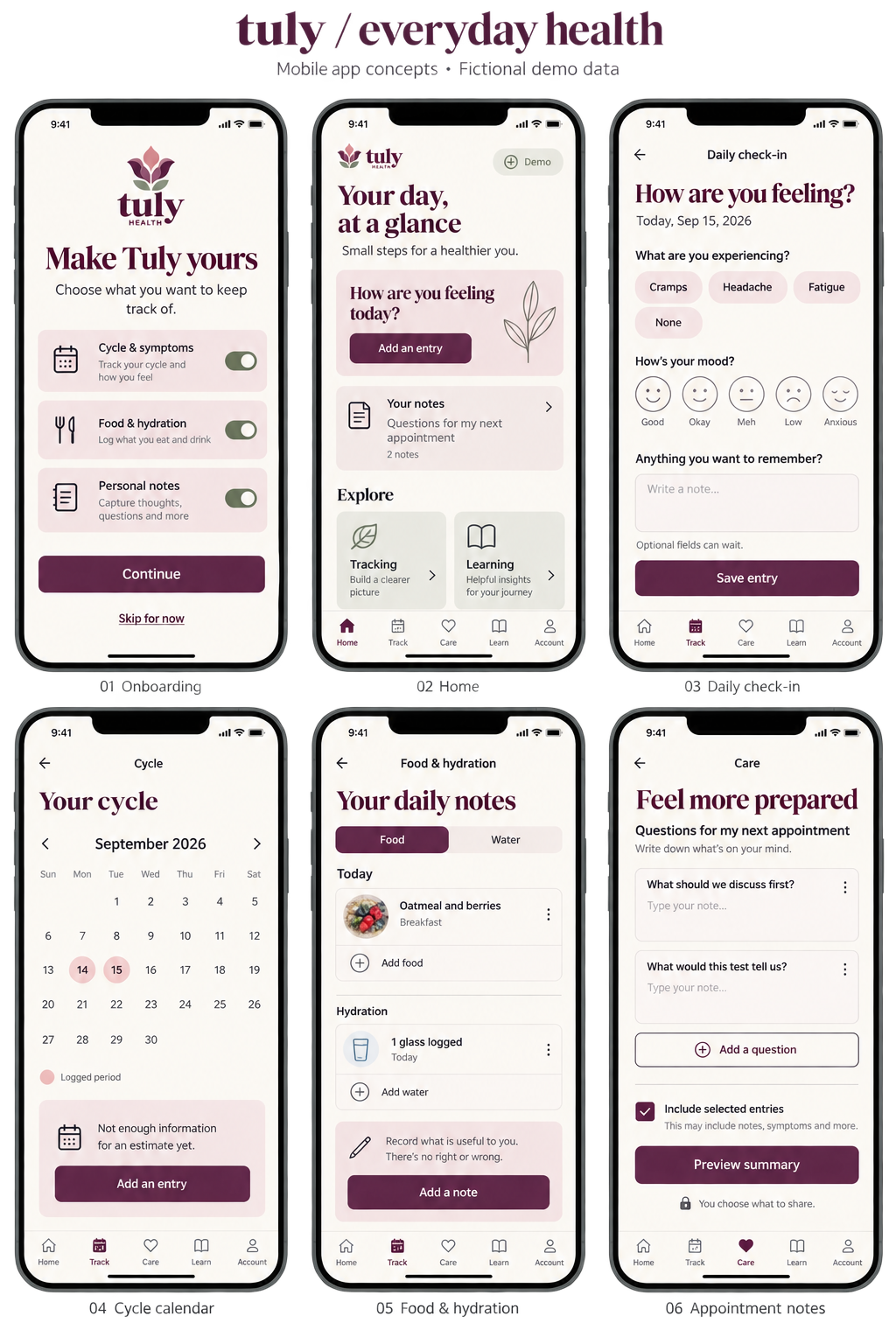
Tuly / everyday health — a board of six mobile app concept screens: onboarding, home, daily check-in, cycle calendar, food and hydration, and appointment notes. Fictional demo data.

Join app updates

Tracking observations is not a diagnosis.

Join app updates